Audience: All Users (Store Owners, Lenders, Admins)
Topic: Support, Troubleshooting & Service Policies
Overview
When you encounter a technical issue, the Jira Service Desk is your direct line to our team.
To ensure the fastest possible resolution, we follow a structured protocol for receiving, classifying, and resolving every ticket. This guide outlines how to submit a request and explains how our team prioritizes your issues.
1. Accessing the Service Desk
Support requests are handled in a dedicated portal separate from your main PayPlan Admin account.
Login Here:
https://businesswarrior.atlassian.net/servicedesk/customer/portal/5
2. How to Submit a Request
Step 1: Log In: https://businesswarrior.atlassian.net/servicedesk/customer/portals
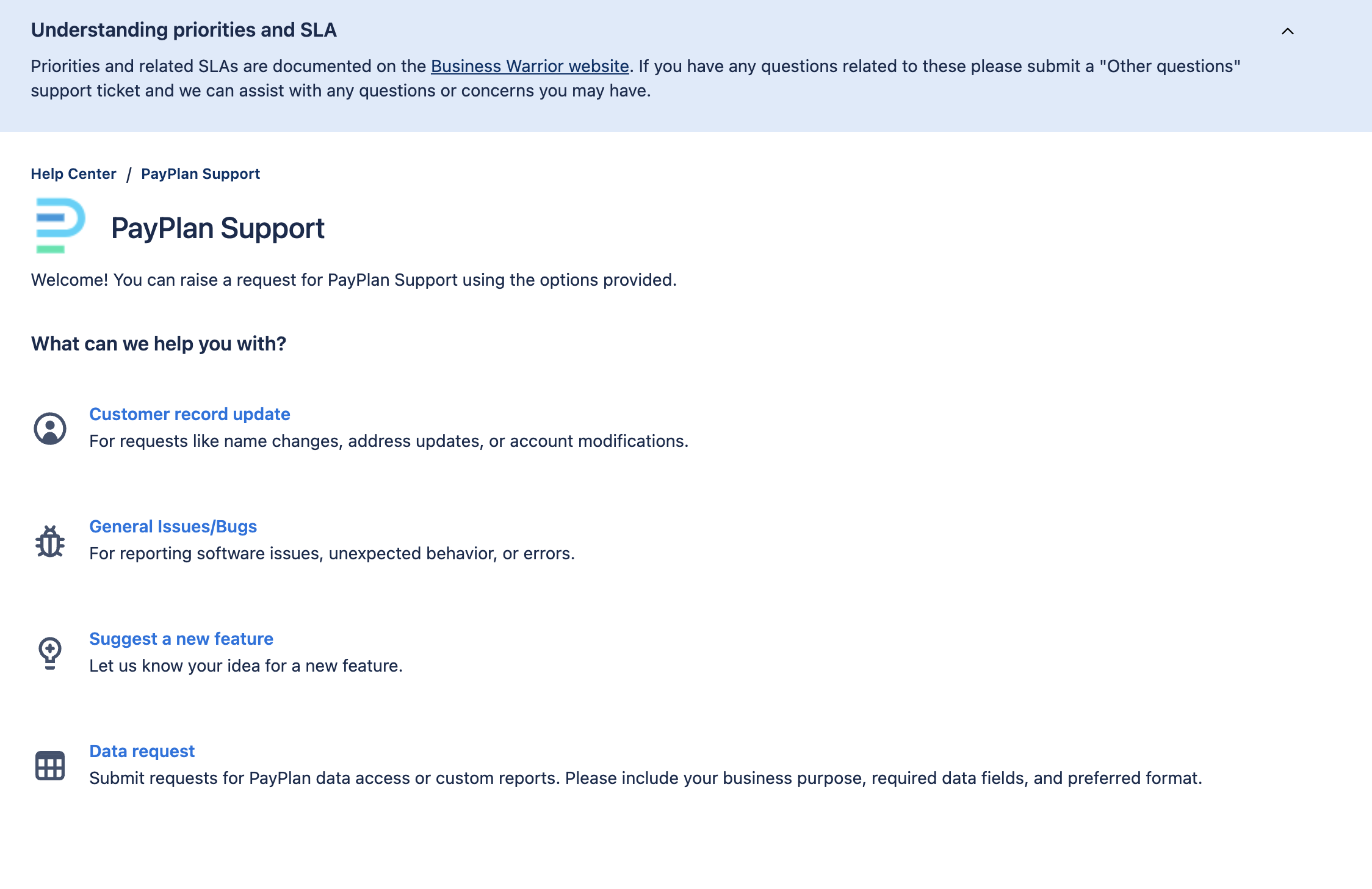
Step 2: Select a Request Type
Choose the category that best fits your issue:
-
Report a Bug: Something is broken or not functioning as designed.
-
Technical Support: You need help configuring a feature or have a usage question.
-
Feature Request: You would like to suggest new functionality or a change to the design.
-
Data & Reporting Request: You would like to have enhancements or request a new type of report
Step 3: Describe the Issue
The more detail you provide, the faster we can help.
-
Summary: A short headline (e.g., "Error message when creating Invoice").
-
Description: A detailed explanation of the steps you took before the issue occurred.
-
Critical Details: Always include your Tenant Name, Application ID (if applicable), and your Browser/Device.
-
Screenshots: Upload an image of the error message or behavior whenever possible.
Step 4: Submit
Click Send. You will immediately receive an email confirmation with your Ticket ID.
Writing a Great Ticket (So We Can Fix It Faster)
A generic ticket takes longer to investigate. A specific ticket allows us to identify the root cause immediately.
|
Bad Ticket |
Great Ticket |
|
"The system isn't working." |
"I am receiving a '500 Error' when I click the 'Generate Offer' button for App ID #1024. See attached screenshot." |
|
"My customer can't pay." |
"Customer App #552 is trying to pay via ACH. The Payment Log shows 'R03 No Account.' I verified the routing number is correct. Can you check?" |
3. Issue Classification & Resolution Policy
Once a ticket is received, our team reviews and classifies it as either a Bug or a Feature Request. This classification determines the priority and resolution timeline.
Category A: Bugs
Definition: A malfunction where the system is not performing according to its agreed-upon specifications and operational design.
-
Examples: A "Submit" button returns an error message; a calculation is mathematically incorrect; a report fails to download.
-
Resolution: These issues are our highest priority. They are managed and resolved according to the Service Level Agreement (SLA) defined in your contract. We will provide regular updates via the portal until the fix is deployed.
Category B: Feature Requests
Definition: A suggestion for new functionality, an enhancement to existing workflows, or a change to the product's design beyond its current scope.
-
Examples: "I want a new column in this report," "I want to change the color of the borrower portal," or "I want an email alert when a user logs in."
-
Resolution: Feature requests are outside the scope of the SLA. These requests take time to design, scope, and build.
-
Process: Your request is gathered and reviewed by your Implementation Manager.
-
Next Steps: We will schedule a discussion with you to present options, feasibility, and estimated timelines if the request requires custom development.
-
Note: Sometimes a user reports an issue as a "Bug" because it doesn't work the way they imagined. If the system is functioning exactly as designed, but you need it to function differently, we will re-classify this as a Feature Request.
4. Requesting a report or report changes
Requirement: Minimum subscription of PayPlan PRO Plan.
To ensure transparency, we have a defined process for handling custom data and reporting requests.
Phase 1: Intake & Acknowledgment
-
Action: Submit your request via the Service Desk (select "Reporting").
-
SLA: We will acknowledge receipt within 1 business day (24 hours).
Phase 2: Assessment & Estimation
Our team will review the data complexity (e.g., are new queries or joins needed?) and the volume of data required.
-
SLA: Within 2–5 business days of acknowledgment, we will provide:
-
A complexity rating (Simple, Moderate, or Complex).
-
An estimated completion timeline.
-
Estimated pricing (if applicable).
-
Phase 3: Completion & Delivery
Timelines vary based on the complexity of the data work required:
|
Complexity |
Estimated Time |
Example Use Case |
|
Simple |
1–3 Business Days |
Minor updates to an existing report or a basic one-table lookup. |
|
Moderate |
3–5 Business Days |
A new report based on an existing one, with slight modifications or added data points. |
|
Complex |
Future Sprint or 5–10+ Days |
A completely new report requiring multiple table joins, new data views, or custom logic. |
Revisions:
Minor revisions are typically completed within 1–2 business days. Significant changes to the requirements may require a re-assessment.
5. Tracking Your Status
You do not need to email us to check on a ticket. You can view real-time status updates directly in the portal. For detailed step-by-step, see our ticket guide.
-
Log back into the Service Desk.
-
Click "Requests" in the top right corner.
-
You will see a list of all your open and closed tickets, along with the latest comments from our team.