
Audience: Merchants, Lenders, and Administrators
Topic: Implementation & Setup
Overview
PayPlan is designed to minimize your operational lending workload. We provide a fully managed setup experience, meaning our team handles the heavy lifting of configuration, compliance, and technical setup.
From defining your loan products to branding your customer emails, we build the environment for you. Once we are live, we hand the keys over to your team, giving you direct control over approvals, document templates, and daily operations.
This guide outlines the 6-step setup process and clarifies who does what along the way.
Step 1: Become Familiar with the Platform
Before we build your specific rules, it helps to know the lay of the land. The PayPlan platform has two main areas you will use daily:
-
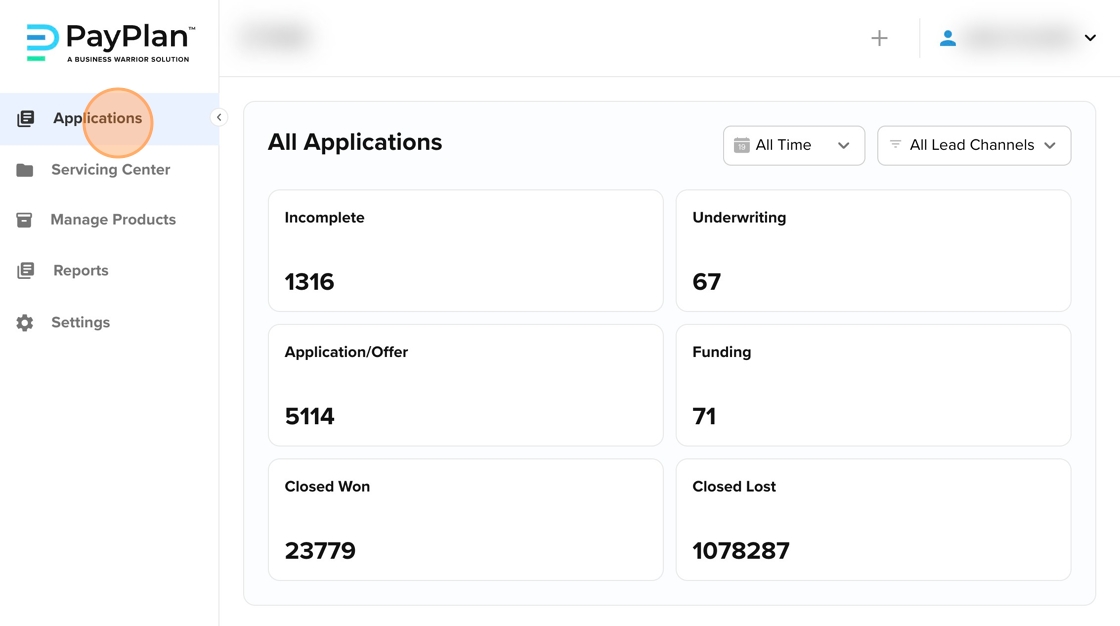
Applications Tab: The "Front Office." This is where applications come in, decisions are made, and deals are funded.
-
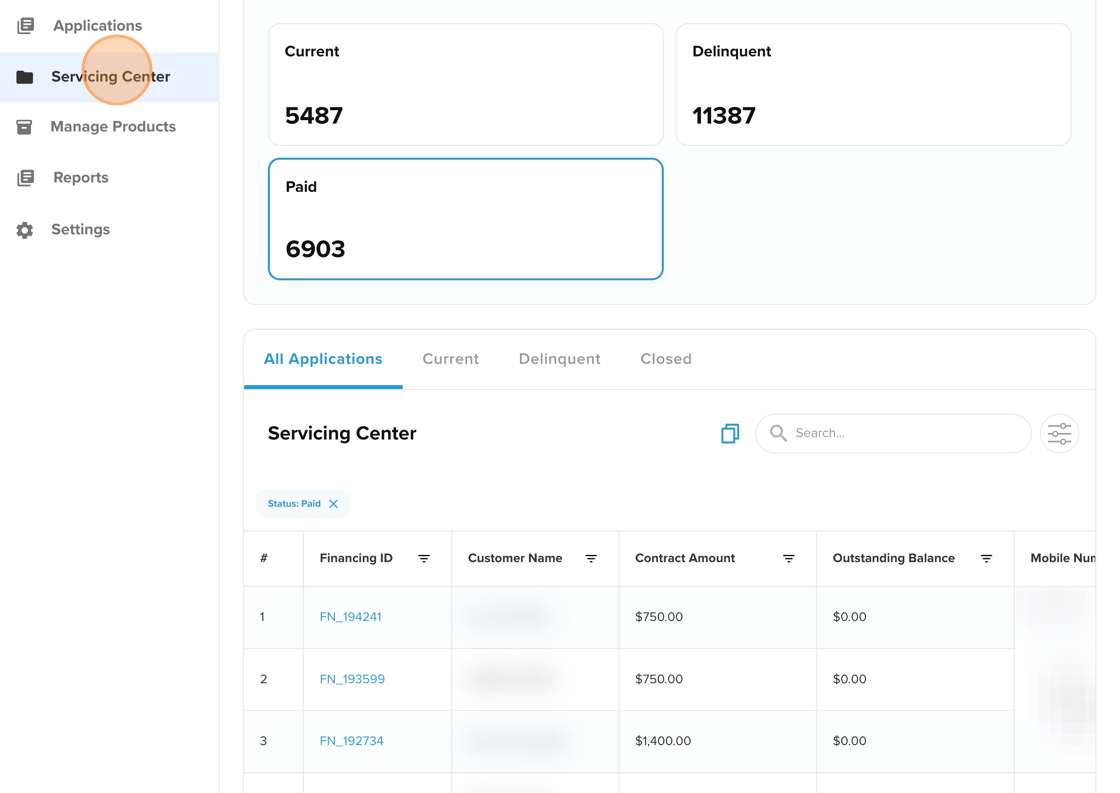
Servicing Center: The "Back Office." This is where you track repayments, manage missed payments, and handle customer service.
PayPlan’s Role:
-
We provision secure access for your team.
-
We provide training on how to navigate the dashboard.
-
We manage the servers and technical infrastructure.
Your Role:
-
Assign your internal staff to their roles (e.g., giving "Manager" access to supervisors and "Read Only" access to sales staff).
Step 2: Configuring Your Financial Product
This is where we define what you are selling. Are you offering a Lease-to-Own program for mattresses? A high-ticket installment loan for coaching?
PayPlan’s Role:
-
We configure the Product Type (Term Loan, Line of Credit, Lease-to-Own).
-
We set the Math (Interest rates, Factor rates, Fees, and Term lengths).
-
We build the Decision Engine based on your rules (e.g., "Auto-Decline anyone under 18" or "Auto-Approve 700+ credit scores").
Your Role:
-
Tell us your criteria. What is your minimum credit score? Do you charge an application fee?
-
Review the configuration to ensure the numbers match your business goals.
Step 3: The Borrower Experience (The App)
We want your customers to feel like they are interacting with your brand, not ours.
PayPlan’s Role:
-
We brand the portal with your logo, colors, and welcome messages.
-
We connect the verification tools (like Plaid for banking or Precise ID for identity checks).
Your Role:
-
Walk through the application flow as if you were a customer.
-
Tell us if you want to change any text on the screen to better fit your sales pitch.
Step 4: Documents & Communications
When a customer is approved, they get emails and contracts. We ensure these look professional and compliant.
PayPlan’s Role:
-
We load standard templates for Loan Agreements and Payment Authorizations.
-
We set up the automated email and SMS triggers (e.g., sending a "Payment Failed" text automatically).
Your Role (Post-Launch Control):
-
You have full access to the Document Center.
-
You can edit the wording of email templates to match your marketing voice.
-
You can update contract terms if your legal requirements change.
Step 5: Testing Your System
We call this "User Acceptance Testing" (UAT). Basically, we give you a safe environment to break things before you go live with real money.
PayPlan’s Role:
-
We provide a "Sandbox" environment that mirrors your live setup.
-
We give you test data (fake names and credit profiles) so you can run test applications.
Your Role:
-
Submit sample applications to see how the decision engine reacts.
-
Check the contracts to ensure the names and numbers populate correctly.
-
Verify that the emails and text messages look good on your phone.
Step 6: Launch & Live Operations
Once you give us the thumbs up, we flip the switch.
PayPlan’s Role:
-
We migrate your approved settings from the Test environment to the Live Production environment.
-
We monitor the system stability to ensure your first deals go through smoothly.
Your Role:
-
Start processing real customers!
-
Use the dashboard to track your approvals and active loans.
Ongoing Administration
Once you are live, you are in the driver's seat, but we are still the mechanics.
What We Handle:
-
Security, performance, and updates.
-
Troubleshooting if something breaks.
-
New feature rollouts.
What You Control:
-
Decisions: You can manually override declines or adjust credit limits.
-
Documents: You can update your legal contracts instantly in the Document Center.
Summary
PayPlan is structured to remove the technical burden of becoming a lender. You provide the business vision and the rules; we handle the configuration. Most importantly, you are never on your own. Your implementation manager is there to ensure your lending program grows with you.