
Audience: Retail Merchants and Private Lenders
Topic: Reporting & Analytics
Overview
PayPlan gives you two places to read your portfolio data. The Servicing Center is your operational layer for borrower status and account actions. Metabase is your read-only reporting layer for filtered views, drill-ins, and exports. This article explains when to use each one, in what order, and what lives where.
In this article
-
Why the order matters
-
Step 1: Servicing Center, your operational layer
-
Step 2: Metabase, your reporting layer
-
The five Metabase reports
-
When to use which surface
-
Need a report you don't see?
Why the order matters
Reporting questions come in two shapes. "What is going on with this borrower right now?" is an operational question. It needs to be answered in the same place you act on the answer. "How did the portfolio perform last week, and can I export it?" is a reporting question. It needs filtering, drilling, and a view that does not require touching a live account.
PayPlan separates those two jobs on purpose. Try to answer the first kind in Metabase and you will lose time. Try to answer the second kind by clicking through accounts in Servicing Center and you will lose accuracy. The order below keeps you in the right surface for the question you are asking.
Step 1: Servicing Center, your operational layer
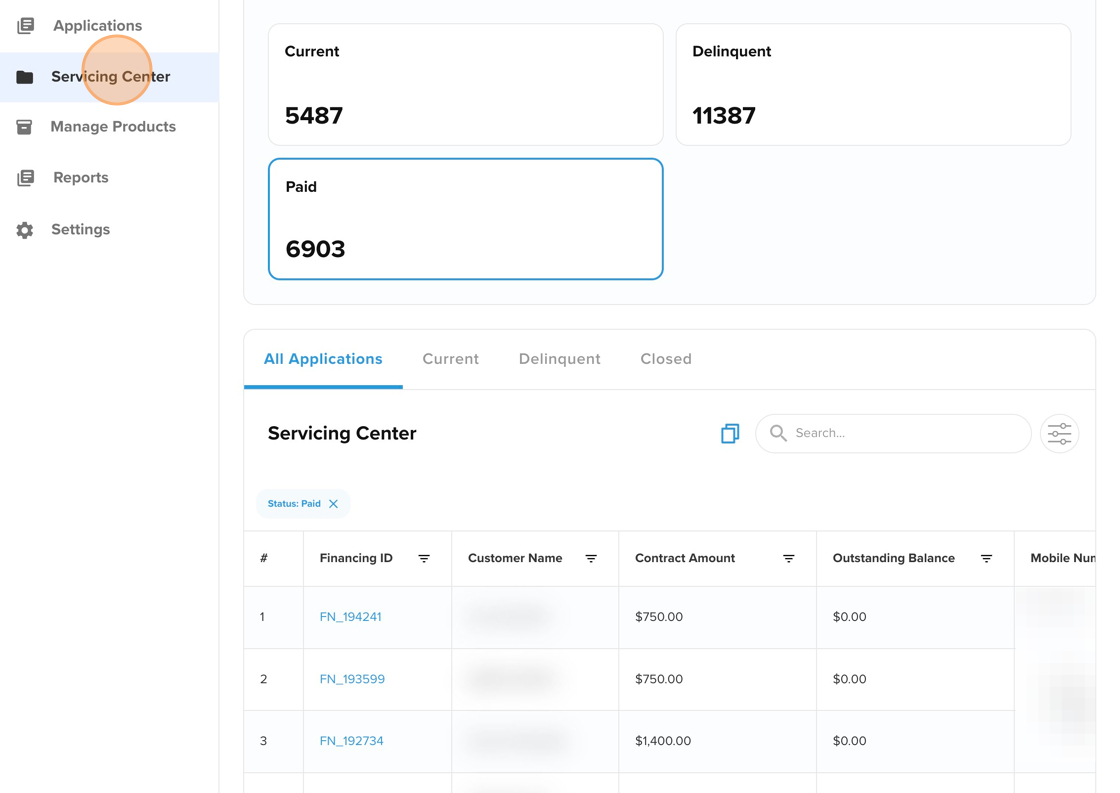
Servicing Center is where your money lives after a deal closes. It is the surface you open to answer the operator's daily question: who paid me, who owes me, and what is coming in next?
It is also the heartbeat of your financing operation. Once a customer is approved and the deal is funded, this is where the financing lives. It sits as a tab inside the Admin Portal, alongside the Applications tab. Applications is your front office for origination. Servicing Center is your back office for repayment.
For retail merchants, Servicing Center is the answer to "where is my money, and when does the next payment hit?" For private lenders, the same dashboard is a real-time reflection of your portfolio's true value. Same screen, two reads, both valid.
You use Servicing Center to track who is paying on time, catch missed payments immediately, and handle borrower requests like refunds or early payoffs without calling support.
What you can see in Servicing Center
The Financing Dashboard lists every funded financing in one view with borrower name, current balance, status, and next payment due date. Click into any row to open the full financing record.
Each financing carries a live status label:
-
Current: the borrower is in good standing and payments are on schedule.
-
Delinquent: one or more scheduled payments were missed or failed. Days past due are tracked from the missed scheduled date forward.
-
Pending Payment: the financing is normal and the system is waiting for the next scheduled debit.
-
Promise to Pay: a late borrower has committed to a specific catch-up payment by a future date.
-
Forbearance: you have approved a temporary pause on payments and interest.
-
Funding Failed: the initial disbursement did not move. The financing does not start until this is fixed.
-
Closed (Won): the financing has been paid off in full.
-
Closed (Loss): the financing was written off due to non-payment.
Inside a financing record you also see the Timeline of past and upcoming events, the Payment Logs, the Documents vault, the borrower's Banks/Cards on file, and the Communication Logs.
What you can do in Servicing Center
Servicing Center is built for action, not just visibility. From the Quick Actions menu on any financing you can:
-
Take a manual payment
-
Issue a refund
-
Add a Late Fee or NSF Fee
-
Send a borrower communication (email or SMS)
-
Schedule a forbearance
-
Generate a Magic Link to view what the borrower sees in their Customer Portal
If you need to act on something, this is the surface to act on it in. Servicing Center is not built for portfolio-level summaries, time-series charts, or scheduled exports. That is what the next layer is for.
Step 2: Metabase, your reporting layer
PayPlan's reporting portal is built on Metabase. It is a curated collection of pre-built reports, not a custom application, so the screens look like standard Metabase dashboards with your PayPlan data piped in.
Important note: you will receive personalized Metabase access from our team.
The portal is read-only. You are not taking actions on accounts here. You are monitoring the portfolio, filtering by date, drilling into individual records for detail, and exporting what you need. For merchants, this is how you see "how I get paid" across the whole book without opening every account. For lenders, it is how you size cash flow, fee income, and delinquency at a glance.
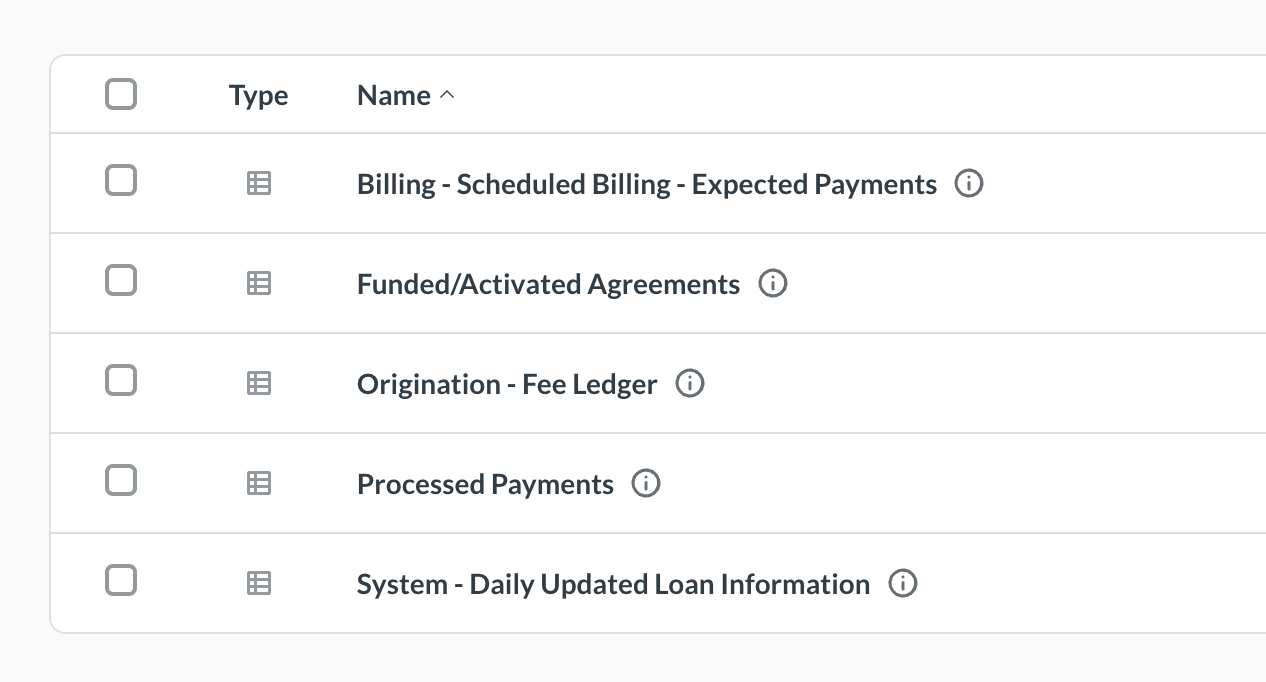
You reach every report from a central collection. From there you open one of five reports.
The five Metabase reports
Billing - Scheduled Billing - Expected Payments
A filterable table of scheduled billing dates and amounts per borrower. Use it to see what is due in the next 10 days, the next 30 days, or any window you set. Adjust the date filter and refresh to repopulate the table.
Funded / Activated Agreements
A list of closed and funded deals inside a date range. Adjust the date window to match your sales cycle: a week, a month, a quarter. Use this report to confirm origination volume and to reconcile against your own sales records.
Origination - Fee Ledger
A line-level view of every fee assessed at origination. It shows the contract or financing ID, fee type, fee amount, assessment date, paid-at-POS amount, withheld amount, capitalized amount, and outstanding fee balance. Use it to reconcile gross versus net funding and to audit how up-front fees are flowing through the book.
Processed Payments
A record of payments that have actually been collected. Each row carries a status indicator: successful, failed, or refunded. Drill into a row to see the full payment detail behind it.
System - Daily Updated Loan Information
The most data-dense report in the portal. It pulls the full set of borrower fields from PayPlan in a single view: Application reference, financing status, stage, open balance, requested amount, approval amount, offer amount, days delinquent, and more. Use this report when you need to see every active financing on one screen and slice it your way.
When to use which surface
|
Question |
Surface |
|
What is this one borrower's status right now? |
Servicing Center |
|
Who is past due today, and by how much? |
Servicing Center |
|
I need to take an action on this account |
Servicing Center |
|
Where is my money, and when does the next payment hit? |
Servicing Center (per-account) or Metabase: Billing - Scheduled Billing - Expected Payments (across the book) |
|
How much did we fund last month? |
Metabase: Funded / Activated Agreements |
|
What up-front fees were assessed this period? |
Metabase: Origination - Fee Ledger |
|
Which payments cleared, failed, or refunded yesterday? |
Metabase: Processed Payments |
|
Give me every active financing in one view to export |
Metabase: System - Daily Updated Loan Information |
|
I need to share a view with someone outside the platform |
Metabase |
What each surface is NOT
Servicing Center is not a reporting tool. It does not produce charts, full-book exports, or scheduled summaries.
Metabase is not an operational surface. You cannot take action on a borrower from inside a report. If a report surfaces something that needs follow-up, jump back into Servicing Center to handle it.
Best practices
-
Start your morning in Metabase, end your actions in Servicing Center. Metabase tells you where to look. Servicing Center is where you do the work.
-
Save the date windows and filters you use most on each Metabase report.
-
Reconcile Metabase exports against Servicing Center for any account-level dispute. Metabase is daily-updated. Servicing Center is live.
Need a report you don't see?
Metabase access is included from Starter and above. The ability to request additional or custom reports begins at Core and above.
PayPlan evaluates the standard report set on an ongoing basis. If we see a reporting need that applies to all customers, we add it to everyone's plan regardless of subscription level.
To request a new report, submit a Data Request at the Service Desk: https://support.payplan.ai/
Related Articles
Last updated: May 2026