Audience: All Users (Starter, Core, Pro, Enterprise)
Topic: Troubleshooting & Customer Support
Overview
In the fast-paced world of digital financing, technical friction can be the difference between a funded deal and a lost customer. When a borrower calls saying they are "stuck" or "can't see a button," your support team needs immediate answers.
PayPlan’s Magic Link technology is a powerful diagnostic tool designed to eliminate the guesswork from customer support. It provides your team with a real-time, "over-the-shoulder" view of the borrower’s journey, allowing you to identify and resolve issues instantly.
What is a Magic Link?
A Magic Link is a secure, unique URL generated within PayPlan. This link is specific to the borrower and allows you to quickly see what the borrower sees. When clicked by an authorized user, it opens a secure window that mirrors exactly what the borrower sees on their screen, whether they are in the middle of a new application or managing their account in the Customer Portal.
There are two primary types of Magic Links:
-
Customer App Magic Link: Used during the origination phase. It allows you to see the borrower’s progress through identity verification, income linking (The VIP Lane), and contract signing.
-
Customer Portal Magic Link: Used during the repayment phase. It allows you to see what the borrower sees when they log in to make a manual payment or update their payment methods.
The Strategic Benefit: Why Use Magic Links?
1. Eliminates the "Blind" Support Call
Traditional support requires the agent to ask, "What do you see on your screen?" Magic Links remove this hurdle. You can see the error message, the missing field, or the navigation bottleneck yourself, leading to a faster resolution.
2. Increases Conversion Rates
Borrowers often drop off during the application process if they encounter a minor technical confusion. By using a Magic Link, your sales or support staff can guide the borrower through the final steps (like e-signing) in real-time, ensuring the deal moves to Funded status.
3. Protects the "Fast Approval" Experience
For lenders, approval speed is the primary goal. If a customer is hesitant about using Open Banking (Plaid), a staff member can use the Magic Link to stay on the line and walk them through the secure connection process, reinforcing confidence and ensuring the "seconds-to-approval" promise is met.
How to Use Magic Links
Accessing a Magic Link is straightforward and can be done directly from the borrower's file.
-
Log into the Admin Portal.
-
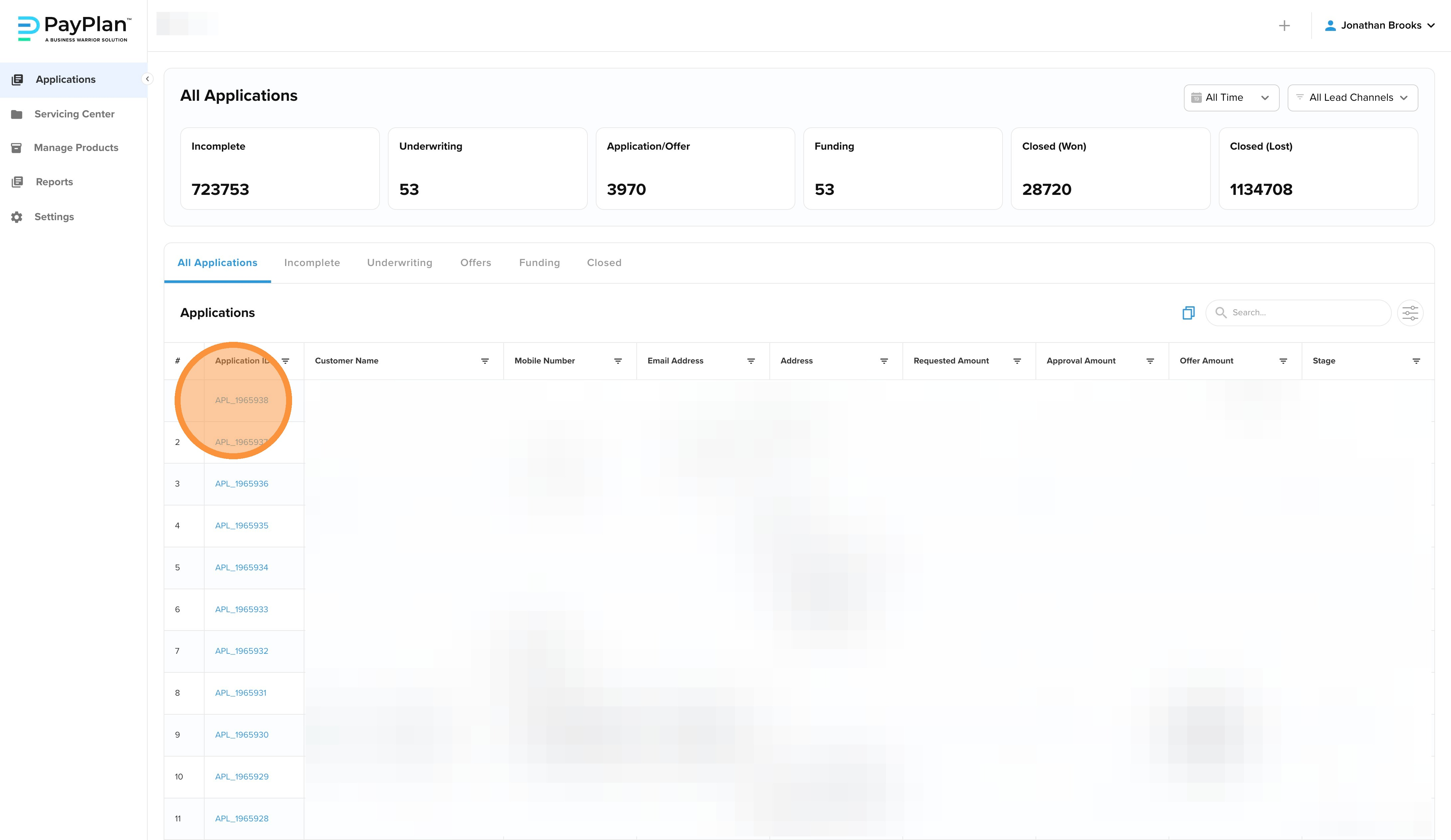
Locate the specific borrower under the Applications tab or the Servicing Center.
-
Click on the Application ID or Financing ID to open their full record.
-
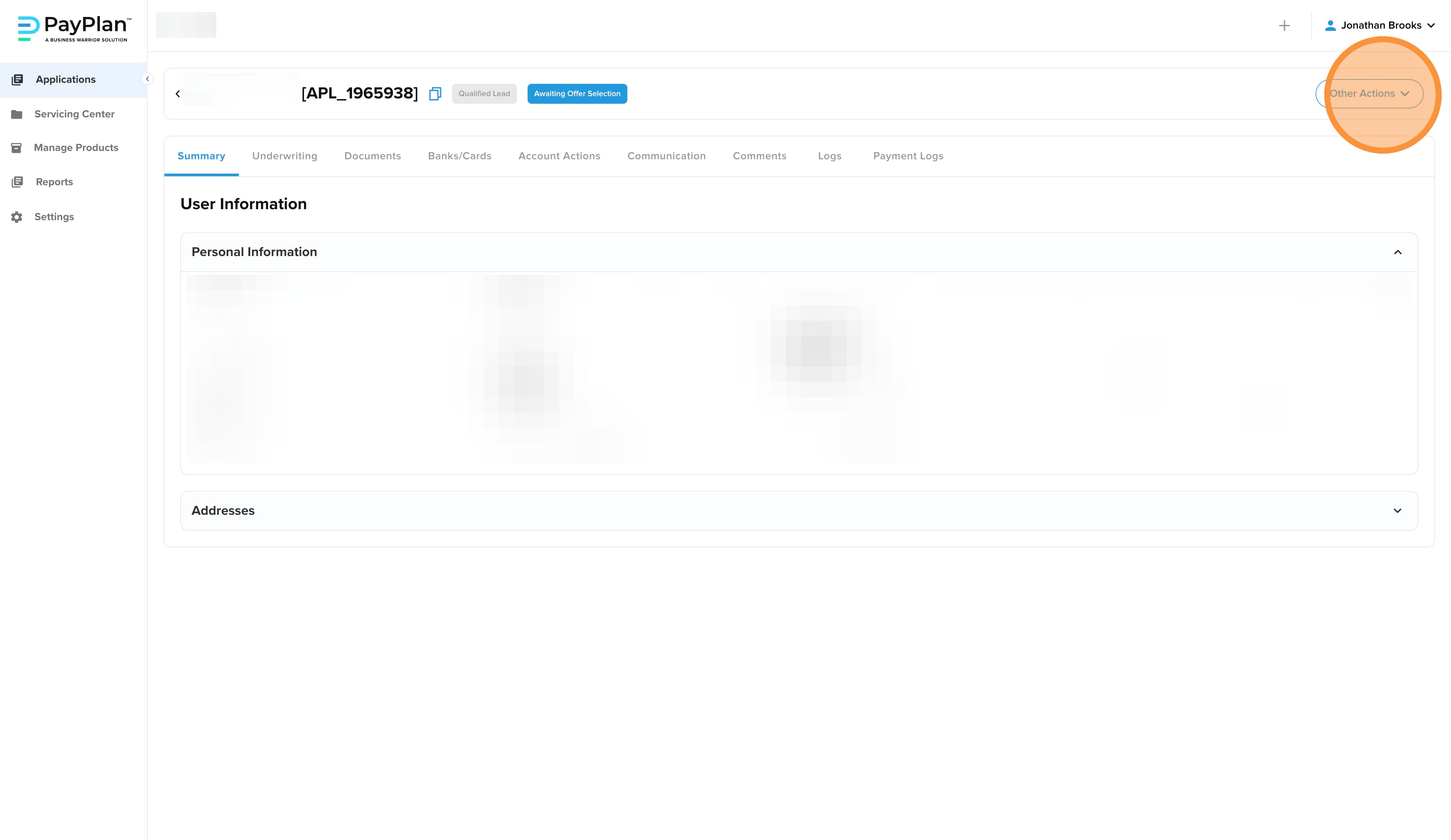
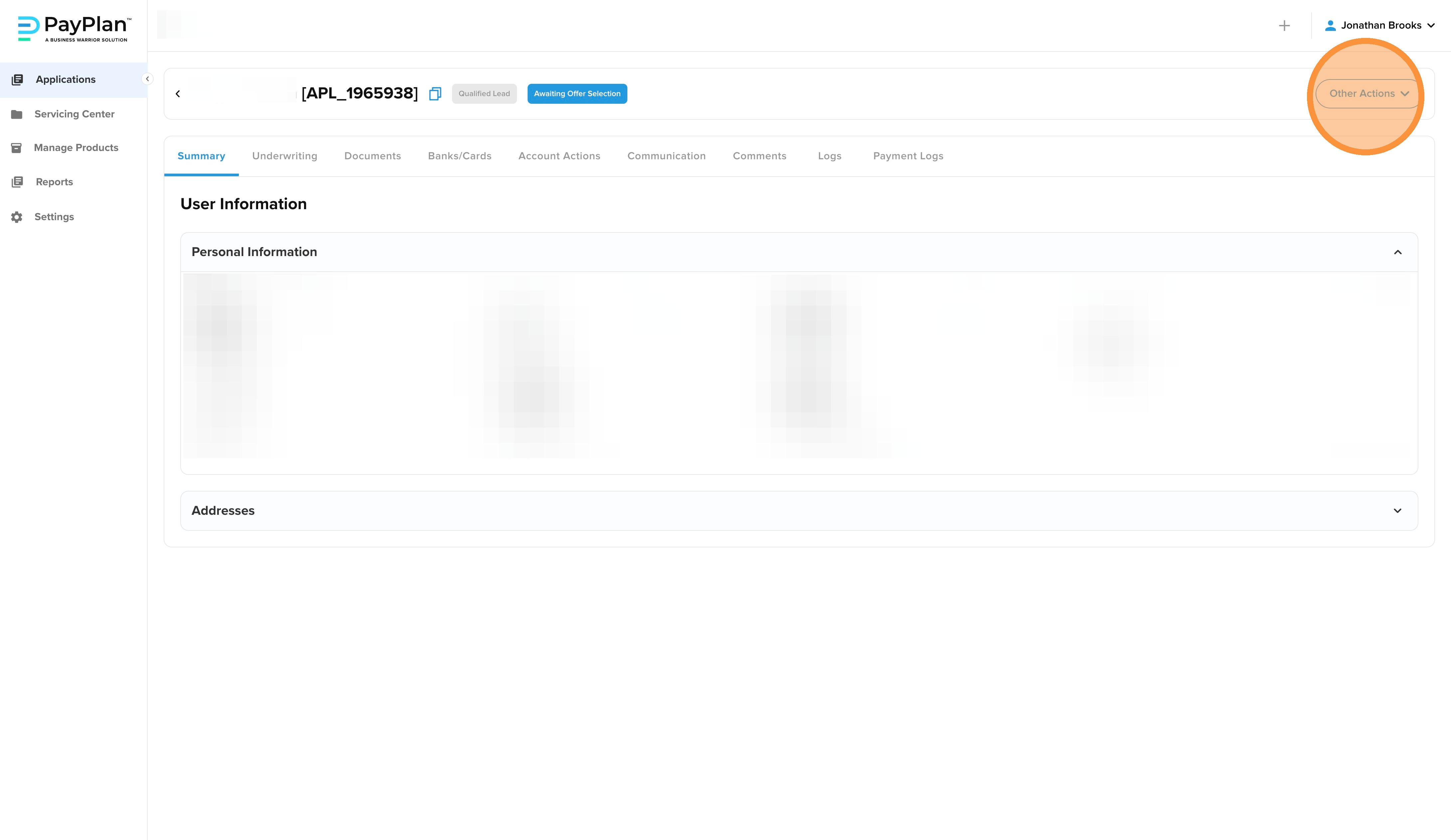
In the Summary view, navigate to the Other Actions menu.
-
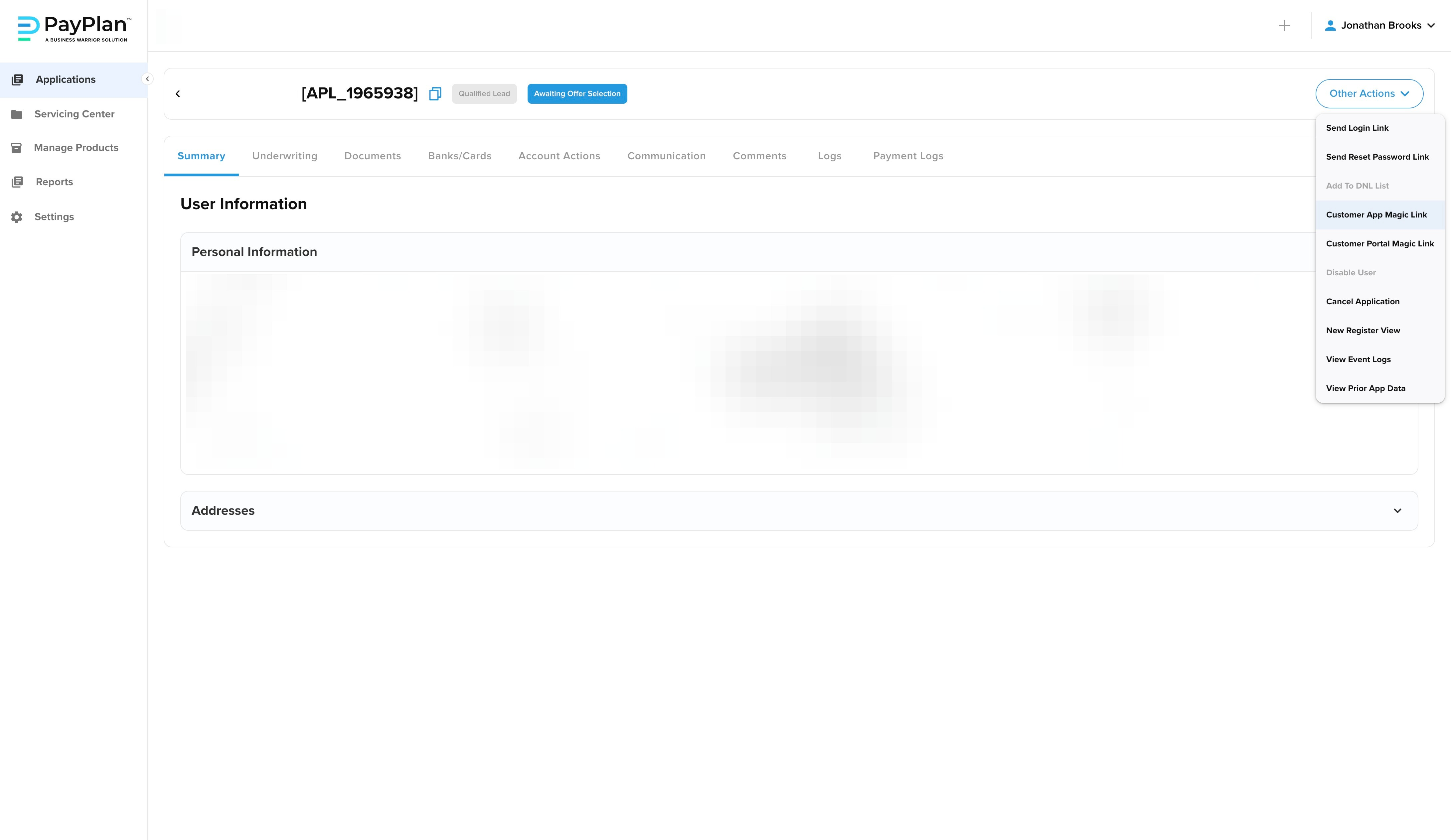
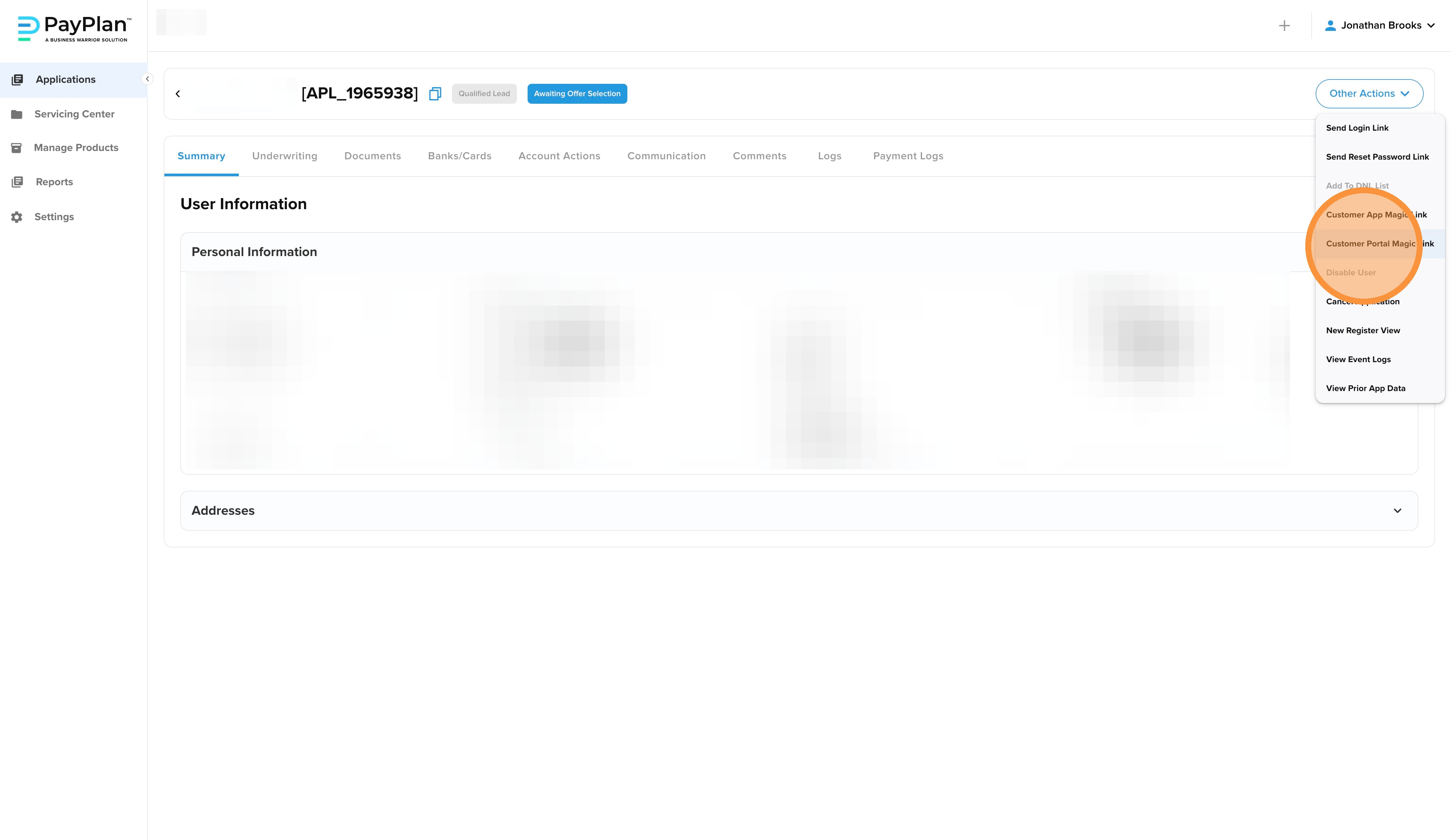
Select Customer App Magic Link (for applicants) or Customer Portal Magic Link (for active financing agreements).
-
The system will open a new, secure browser tab showing the borrower's current view.
To Access the Customer Portal
-
In the Summary view, navigate to the Other Actions menu
-
To access the Customer Portal, click on the Customer Portal Magic Link
Best Practices for Troubleshooting
-
Validate Errors: If a customer claims a button is "grayed out," use the Magic Link to verify. It often reveals a missing required field or an unclicked checkbox that the borrower overlooked.
-
Assist with Signatures: Use the link to confirm the borrower has reached the Fulfillment stage. If they are stuck on the contract page, you can see if they have successfully applied their digital signature.
-
Verify Mobile Responsiveness: Since PayPlan is a mobile-first platform, the Magic Link helps you see how the interface is rendering on the borrower's specific device, which is critical for diagnosing local browser issues.
A Note on Privacy and Security
Magic Links are designed for visibility, not control. You are acting on behalf of the borrower when you access their magic link and their customer portal. You must be careful when using this troubleshooting resource.