
Audience: All Users (Starter, Core, Pro, Enterprise)
Topic: Automated Identity Verification & Underwriting
Executive Summary
To protect your business from the rising threat of synthetic identities and fraud, PayPlan has integrated Experian Precise ID. This industry-leading tool allows you to verify that an applicant is a real, legitimate individual in real-time without requiring physical document uploads for 80-90% of your customers.
By analyzing the "Identity Graph"—a network of credit headers, utility records, and public data—Precise ID provides a multidimensional view of risk, enabling instant approvals for low-risk applicants and flagging suspicious activity for manual review.
Where to Locate Precise ID in PayPlan
Detailed identity verification results are stored within the individual application file:
-
Navigate to: Applications → Click Application ID → Underwriting → Identity KYC.
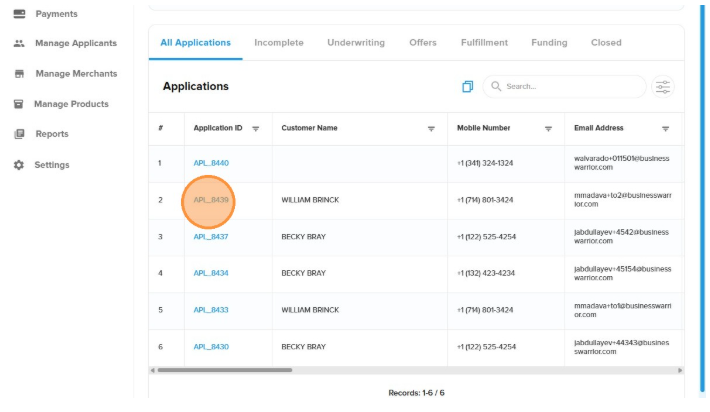
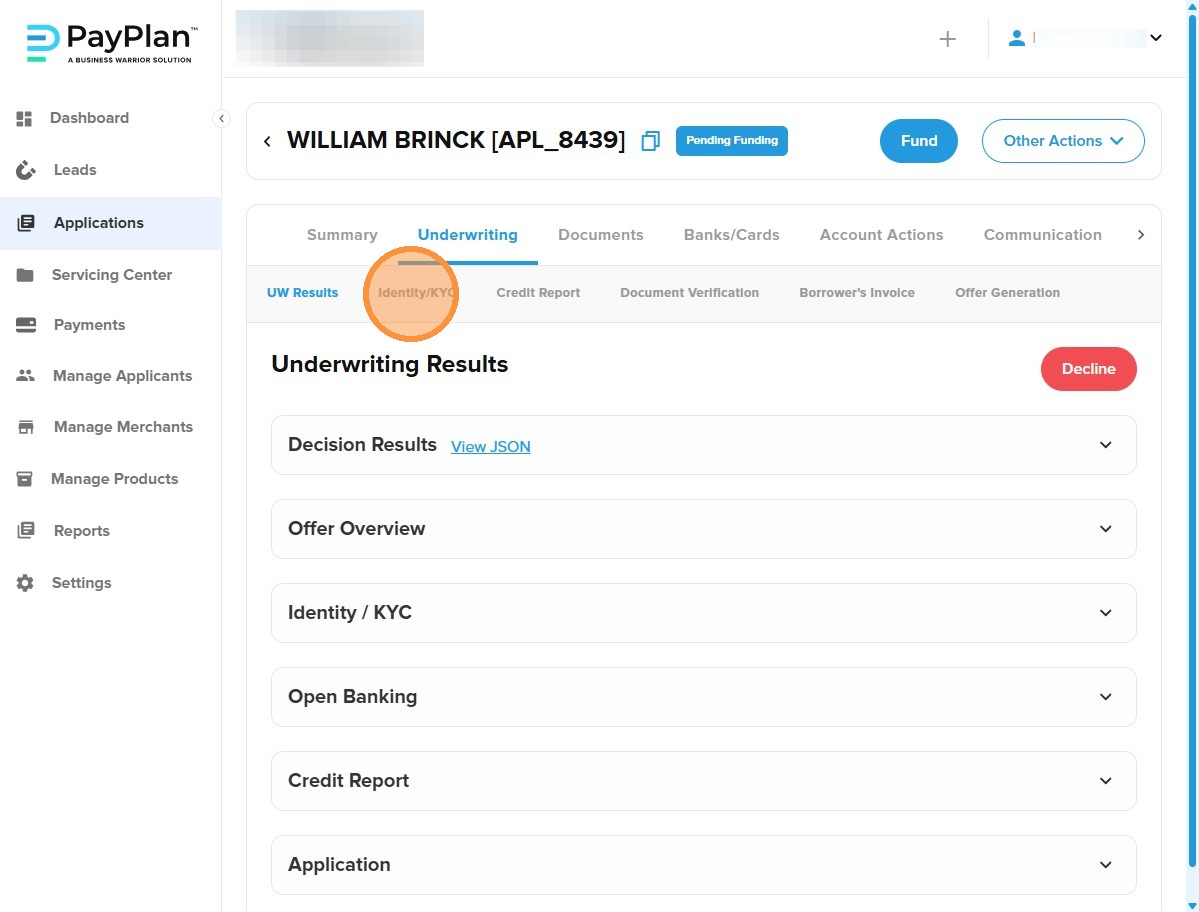
How to Read the Scores
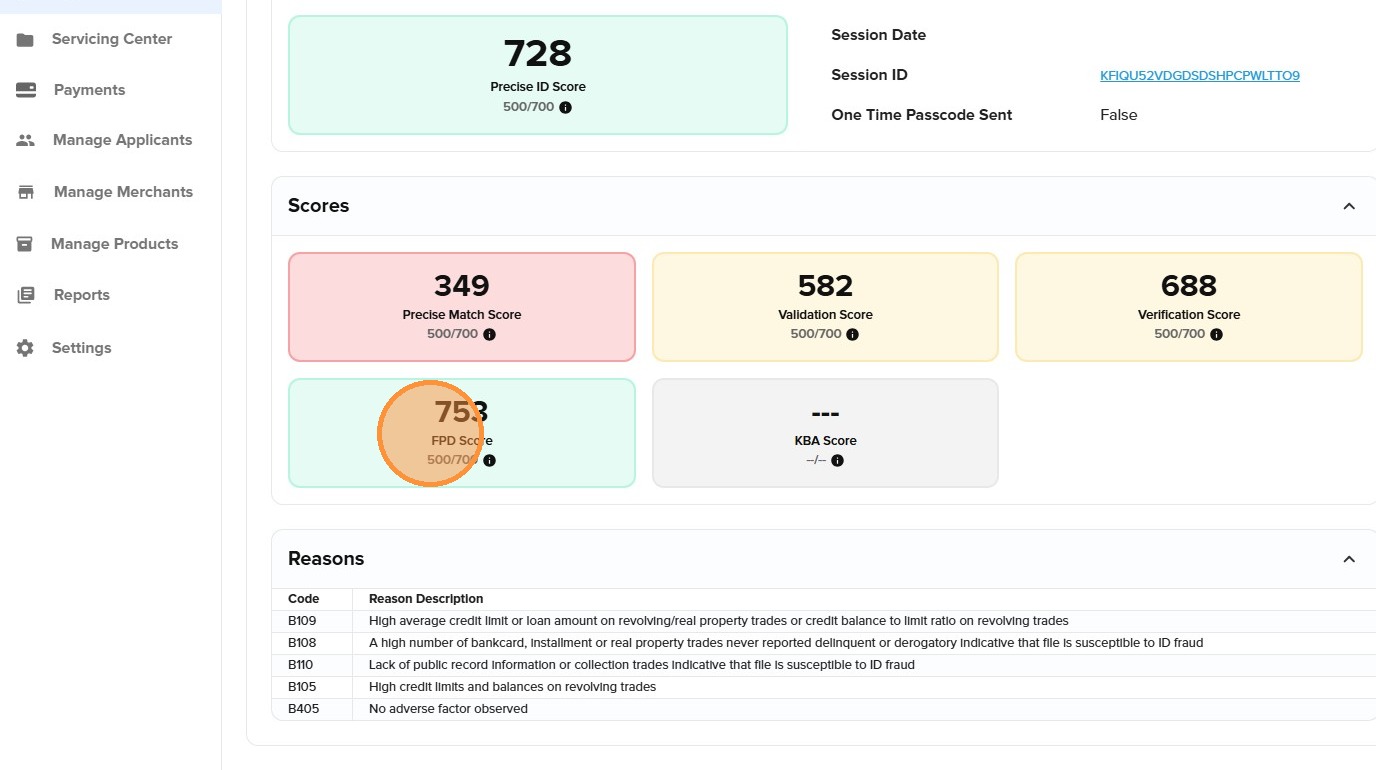
Precise ID returns several scores to help you differentiate between identity validity and financial risk. All scores typically range from 1 to 999, where higher scores generally indicate lower risk.
|
Score Type |
What It Measures |
Impact on Decisioning |
|
Precise ID Score |
Overall risk of fraud |
Higher score = lower fraud risk |
|
Validation Score |
Confirms if the Name, SSN, and Address combination is real. |
High scores (900+) indicate a very reliable identity. |
|
Identity Theft Score |
Detects if the applicant is an "imposter" using stolen data. |
Note: Lower scores indicate higher risk of fraud. |
|
FPD (First Payment Default) |
Predicts the likelihood of the borrower missing their very first payment. |
Crucial for LTO/RTO models to minimize early losses. |
|
Precise Match Score |
Measures how well input data aligns with official records. |
Low scores suggest typos or mismatches in DOB or SSN. |
-
"Decision"
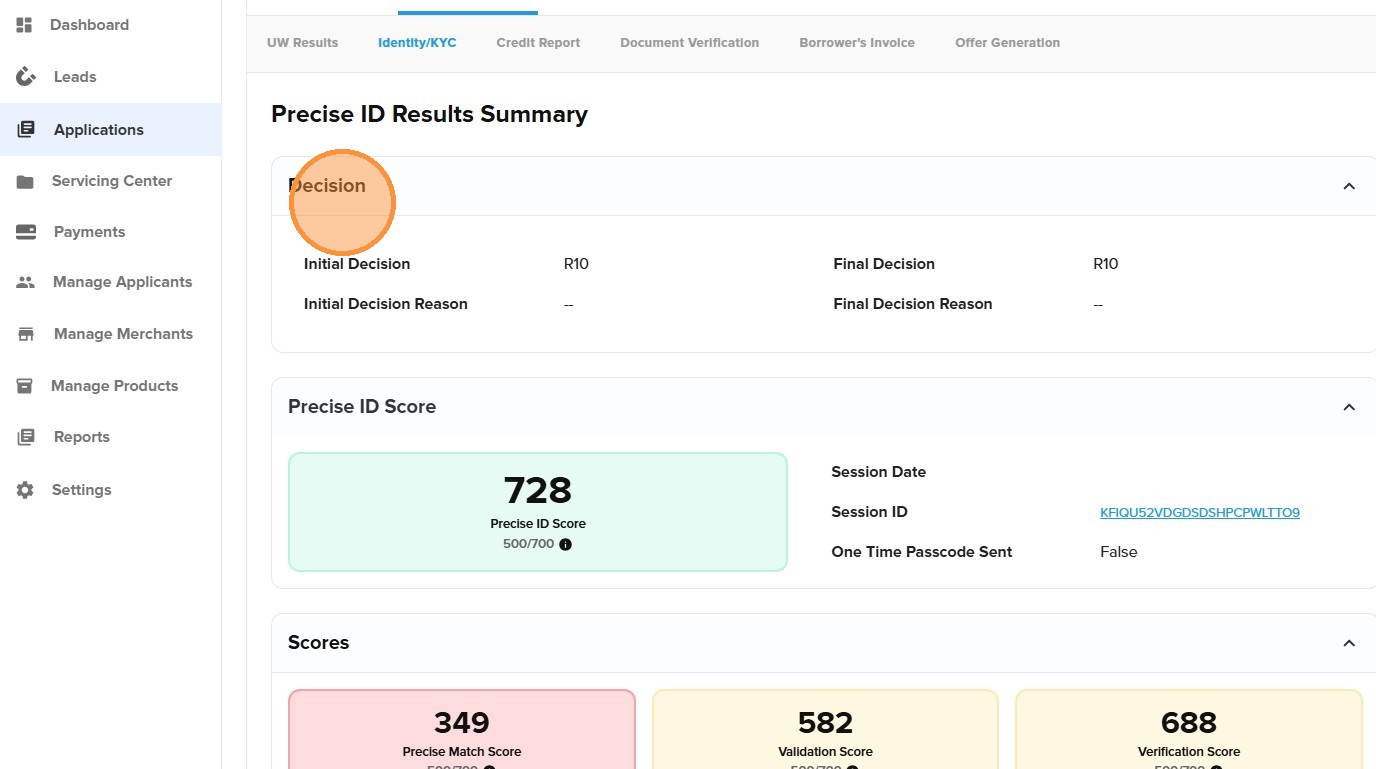
2. "Precise ID Score"
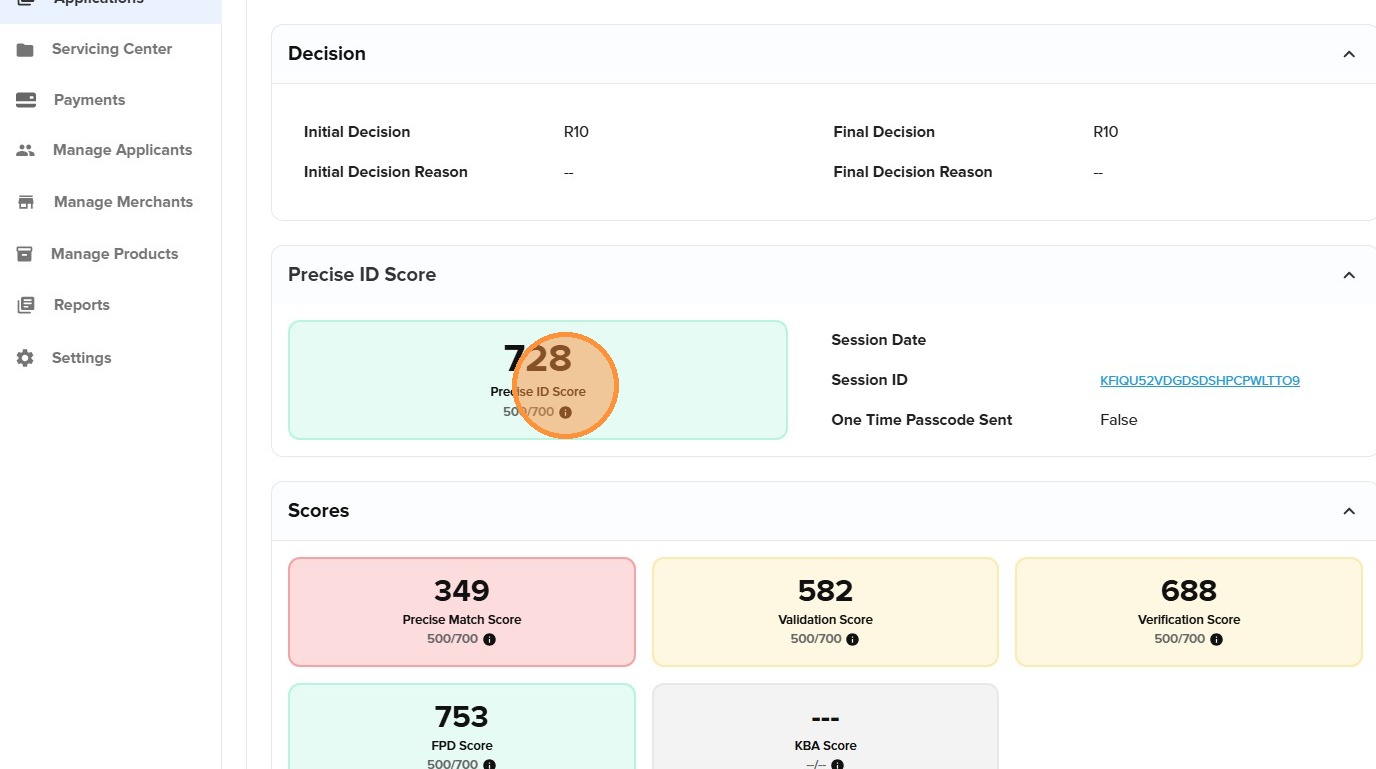
-
"FPD Score 500/700"
Understanding Decisions & Confidence Indicators
PayPlan summarizes complex data into easy-to-read "Decision Outcomes" and color-coded "Confidence Indicators":
-
Approved (Green Checkmark): High confidence. The identity is verified, and no significant fraud risks were detected.
-
Further Review (Yellow Warning): Medium risk. Inconsistencies were found. The system may automatically trigger Knowledge-Based Authentication (KBA)—challenge questions only the true owner can answer.
-
Declined (Red Stop): High risk. The identity appears fraudulent or too risky to proceed.
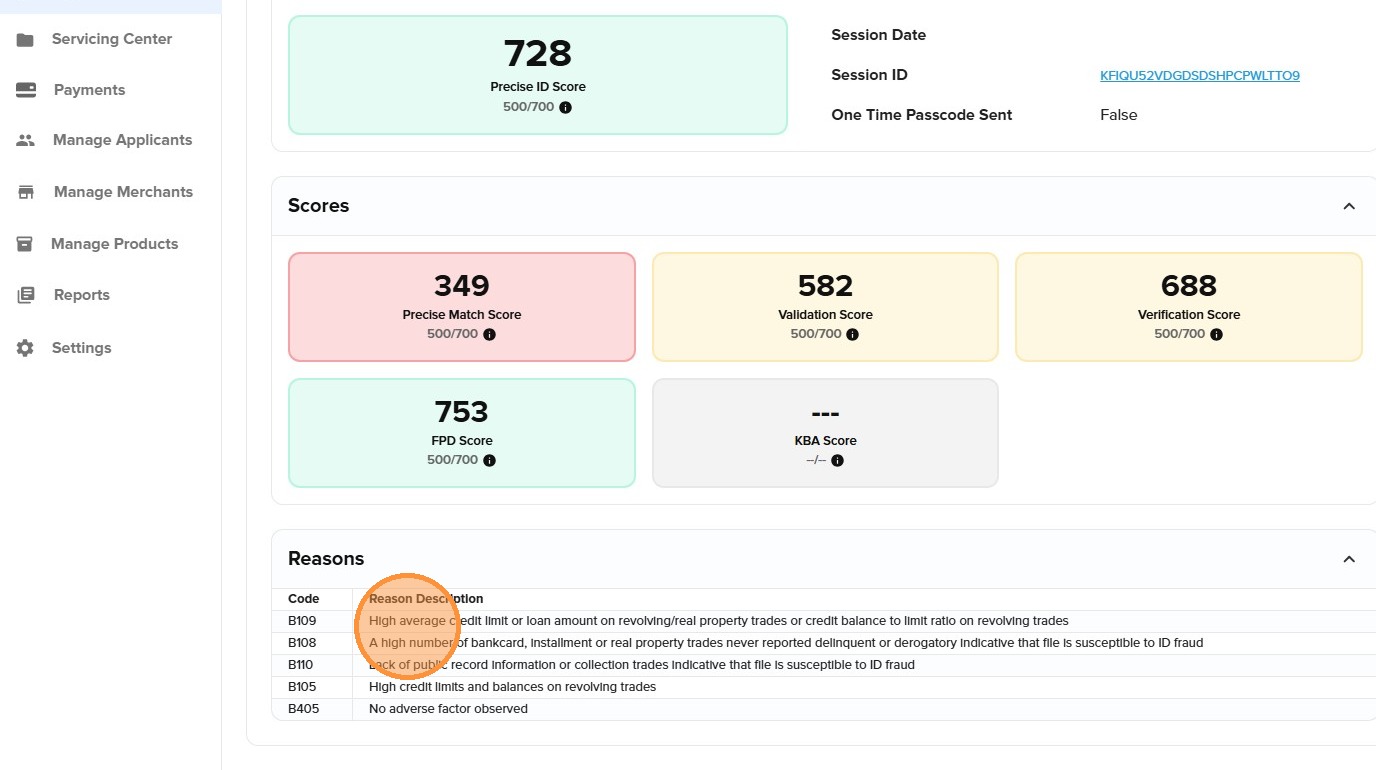
Reason Codes: The "Why" Behind the Score
Every decision includes "Reason Codes" (also known as Adverse Action codes). If you are a lender governed by the Fair Credit Reporting Act (FCRA), you are legally required to provide these codes to any consumer you deny.
Common Examples:
-
B108: No history of late payments (potential indicator of a synthetic/fake identity).
-
Code 11: Address is classified as high-risk (e.g., a mail drop or institution).
-
FS06: SSN issue date is inconsistent with the provided Date of Birth.
-
B405 – No adverse factors detected (i.e., a positive result).
-
B105 – High credit limits and balances on revolving credit accounts.
Compliance & Red Flags
Precise ID includes a "Fraud Shield" designed to help you comply with the GLBA Safeguards Rule and the Red Flags Rule. It automatically screens for:
-
Deceased SSNs: Blocks applications using the identity of a deceased person.
-
OFAC Screening: Checks the applicant against government sanction lists. A "Hit" count greater than 0 requires immediate manual investigation.
Best Practices for Your Workflow
-
Trust the "No-Doc" Channel: Allow applicants with high Validation and Identity Theft scores to skip the ID upload to maximize your conversion rates.
-
Use Step-Up Verification: Only require a physical Driver’s License scan for applicants in the "Yellow" band.
-
Review Reason Codes: Before declining an applicant, check the codes in the Identity KYC tab to understand if the issue is a simple typo (Match Score) or potential fraud (Identity Theft Score).